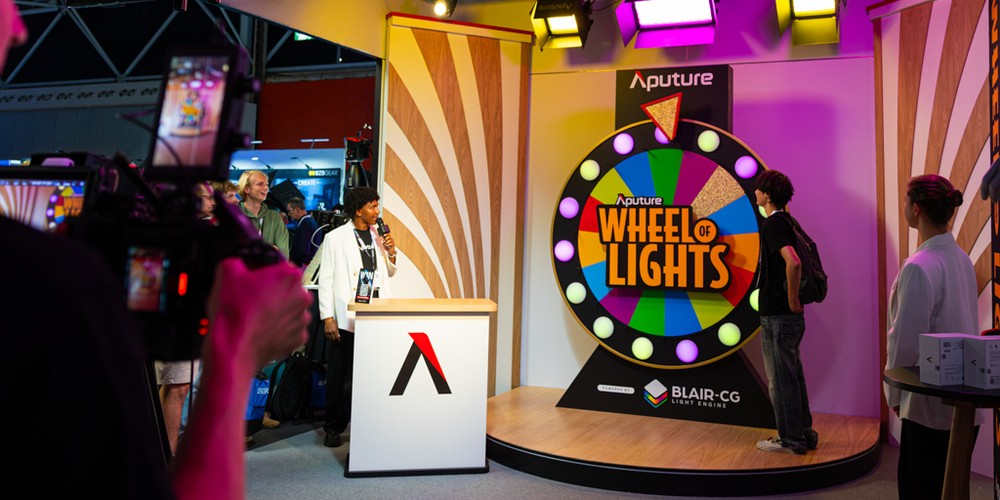
Take a closer look at the Wheel of Lights, the live broadcast studio we built for IBC 2026 in Amsterdam.
The set combined a cable-free prize wheel illuminated by 15 MC Pros, an overhead STORM and NOVA II lighting rig, and three Blackmagic Design cameras to create a complete broadcast environment. Sidus Link Pro on Mac controlled the lighting through a single Sidus Four, combining wired DMX for the overhead fixtures with wireless CRMX for the spinning wheel.
From balanced white light for the contestants to colorful chases and prize-winning looks, each lighting cue was programmed with Sidus Link Pro and triggered with Stream Deck. Explore the set, equipment, and control desk that brought four days of live demonstrations to life.
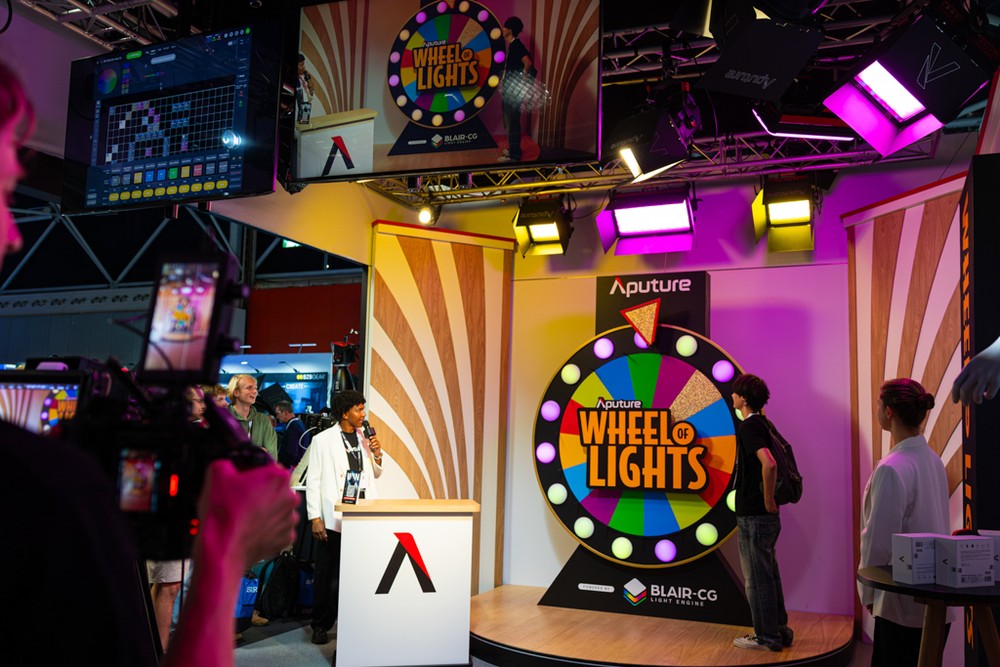
Aputure’s Wheel of Lights broadcast studio
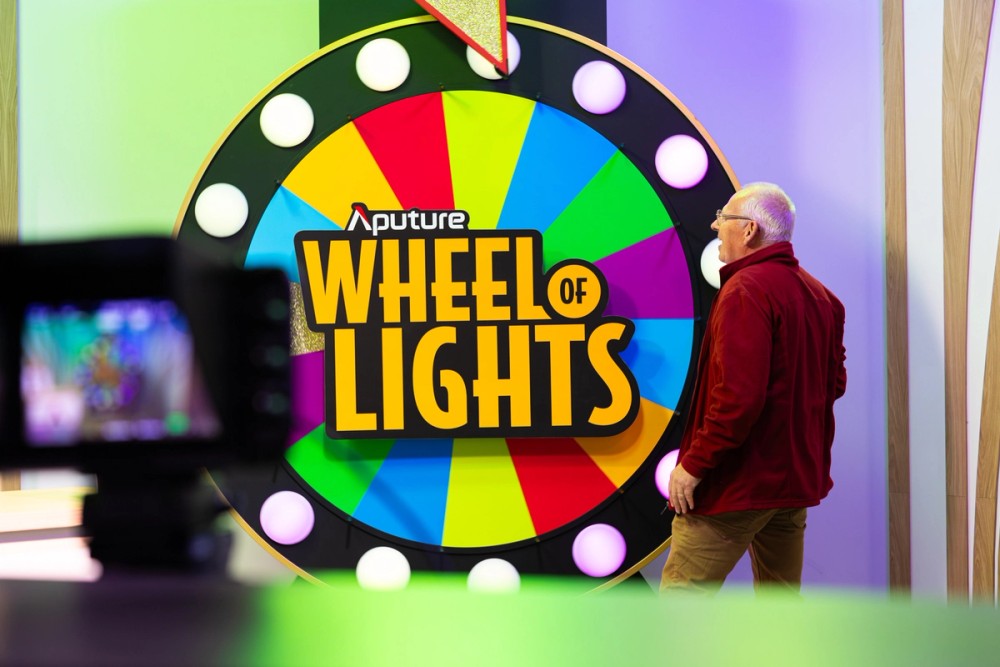
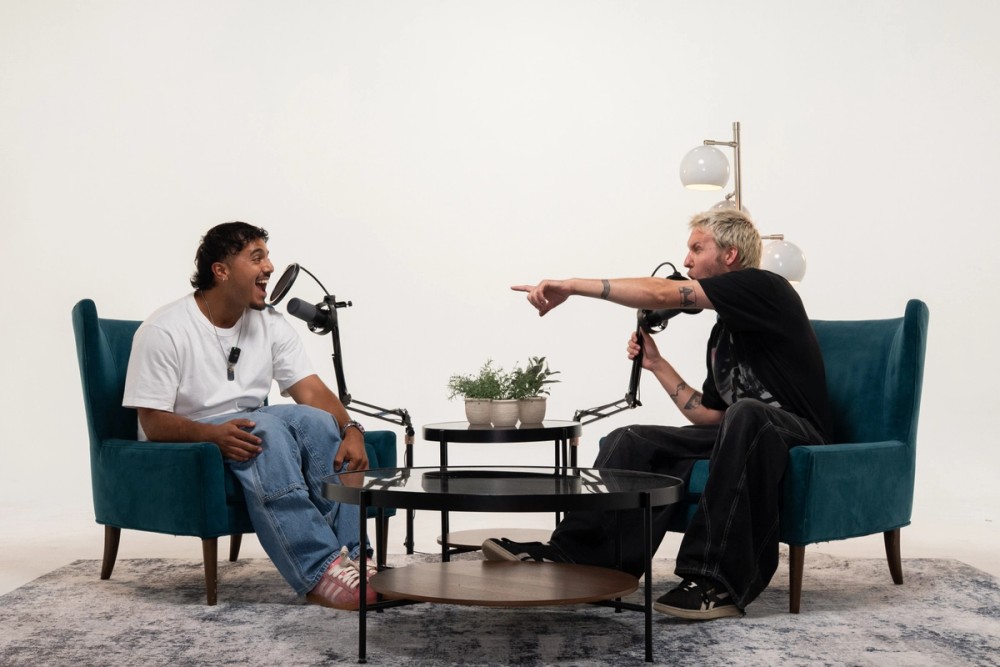
A player spins the wheel
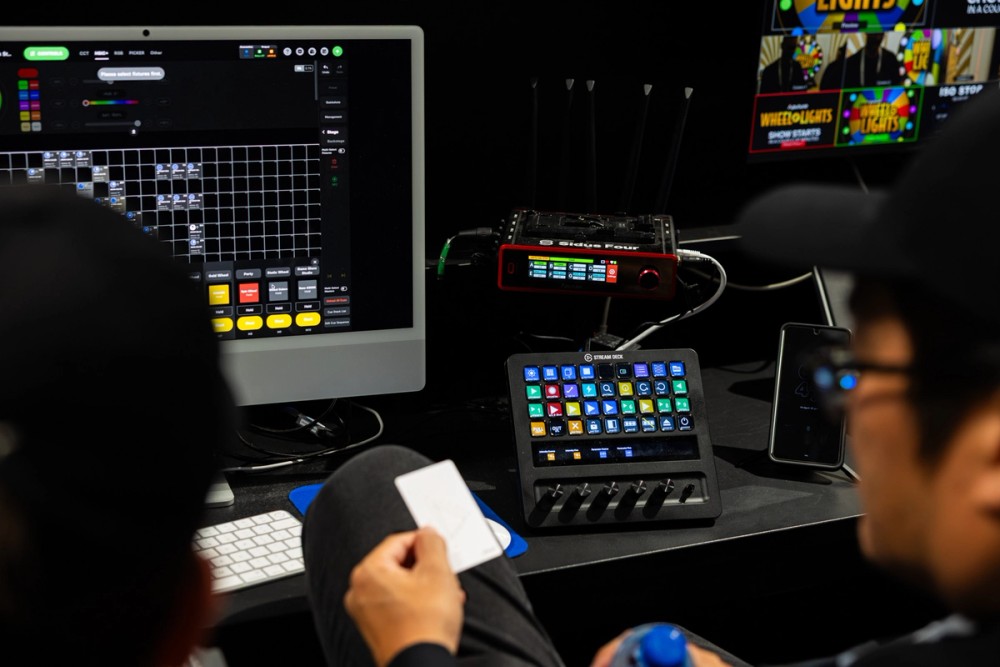
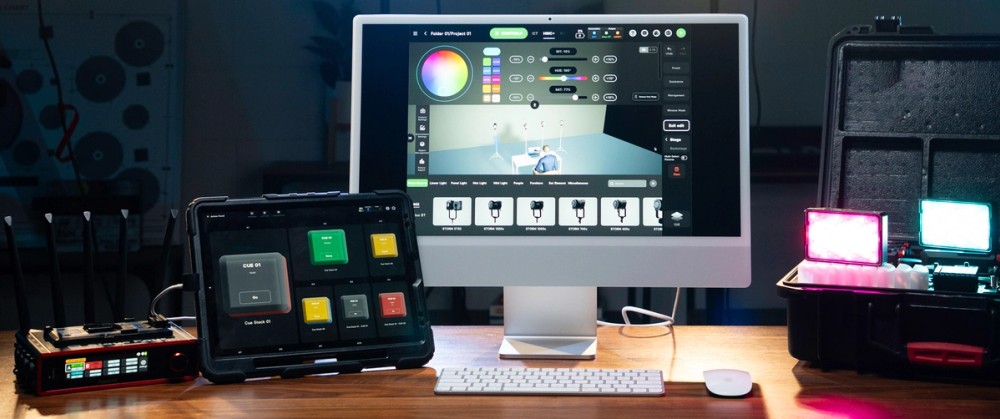
The lighting control setup
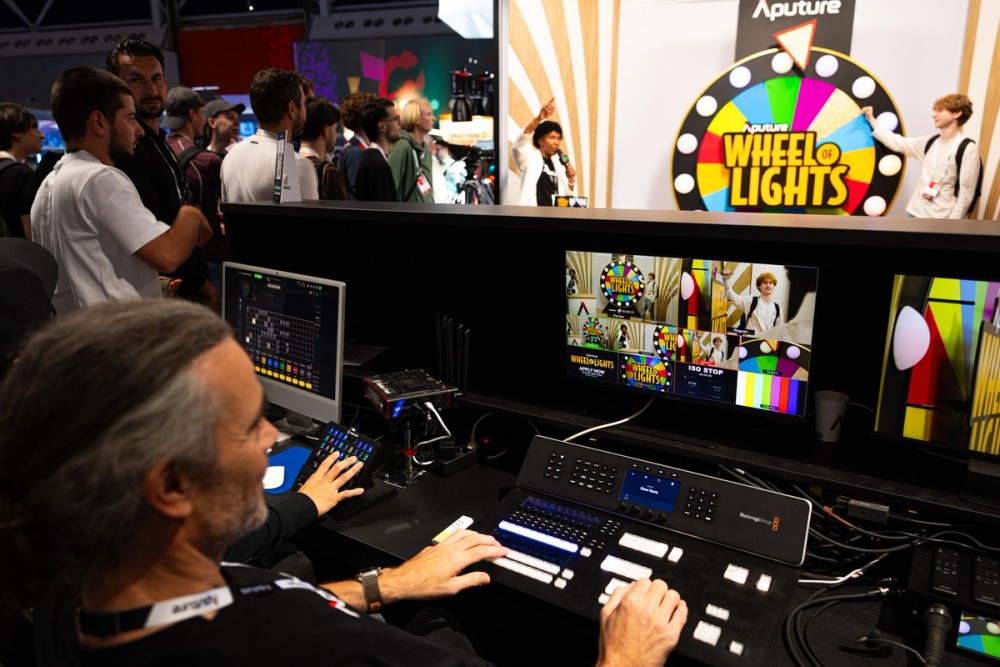
The control room
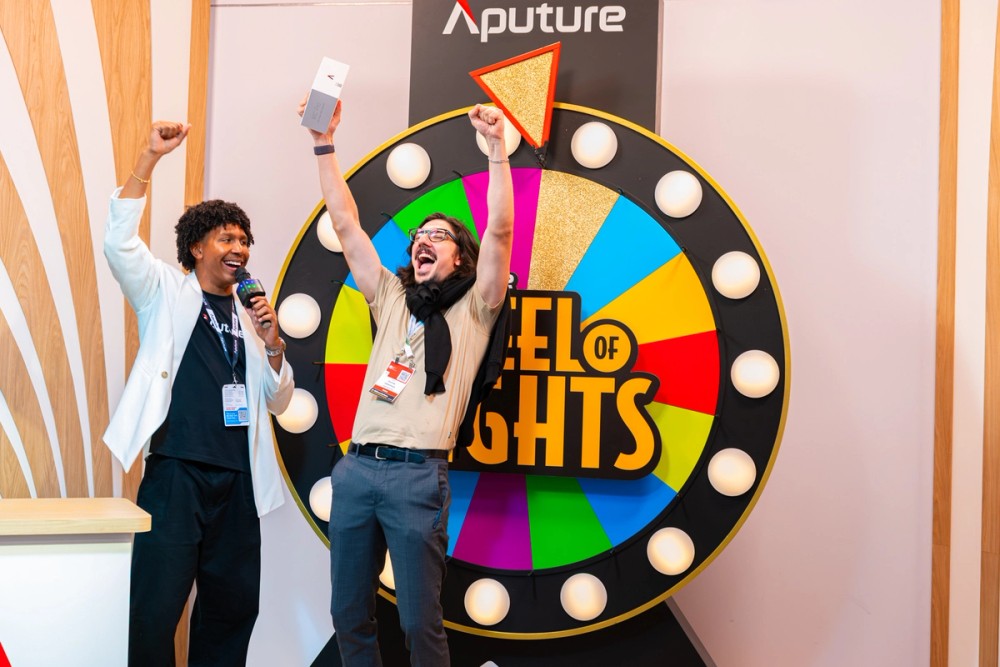
A player wins an MC Pro
Overview
At IBC 2026 in Amsterdam, Aputure booth's TV studio hosted a live game show called the Wheel of Lights. Visitors stepped onto the set, spun a wheel, and watched an entire broadcast lighting rig change color to match wherever it landed.
The goal was simple: build a complete broadcast environment controlled by Sidus Link Pro. Everything in the studio ran from Sidus Link Pro on a Mac, through a single Sidus Four, with an Elgato Stream Deck + XL as the operator's control surface. No lighting console, no address sheet, and no climbing up to fixture menus in the truss. This article documents how we designed, built, and programmed it to run a game show live, all day, for four days.
Sidus Link Pro was the center of it all: it patched the rig, configured every light, held every look, and fired every cue.
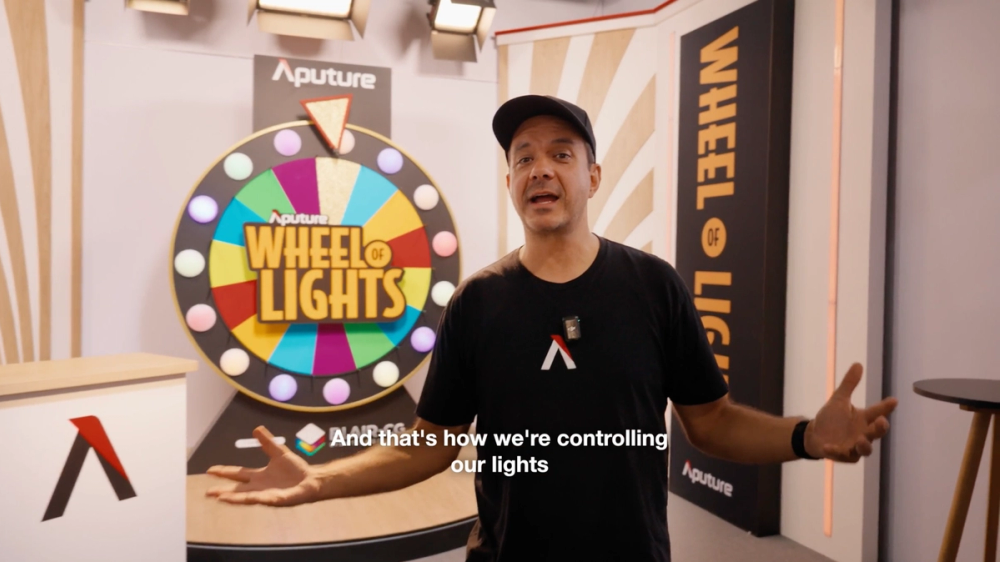
Aputure’s Wheel of Lights broadcast studio walkthrough
The Ideation Phase
IBC is a broadcast show. The people walking the floor are studio engineers, systems integrators, technical directors, and facility owners. Broadcast professionals evaluate a lighting platform differently from a gaffer on a film set. They want to know how a platform fits into a control room, how it talks to the infrastructure they already run, and whether the person sitting at the desk can operate it without a week of training.
The control room
The concept came from the European marketing team: a game show. A prize wheel sits at the center of almost every game show set, and a contestant spinning it is a moment everyone understands instantly. The twist was to build the wheel itself out of lights, and to make the whole studio rig respond to the result.
The wheel's colors would come from the BLAIR-CG light engine's seven colors: Blue, Lime, Amber, Indigo, and Red, plus Cyan and Green. We added gold as the grand prize, for eight results in total.
“The main goal was to create a broadcast environment controlled by Sidus Link Pro,” says Ben Dynice, Aputure’s Director of Product: UX/UI. “We also wanted to provide an engaging atmosphere for attendees of the show. A game show let us do both.”
Planning and Sourcing
The Aputure EU team built the booth. The studio set was about 8m wide and 5m deep, which is a shallow space for a set with a host, a contestant, a wheel, and cameras. To keep the floor open for people and cameras, we hung the truss from the ceiling instead of standing it on legs. We angled the side panels at 45 degrees to enclose the space and give the cameras clean backgrounds from every angle.
The equipment package:
- 15 MC Pros for the wheel
- STORM 80c
- STORM 1000c
- NOVA II 1x1
- NOVA II 2x1
- Sidus Four for all data, wired and wireless
- Sidus Link Pro on Mac desktop, paired with an Elgato Stream Deck + XL
- Three Blackmagic Design cameras and a video switcher for the broadcast environment
Each group of lights had a job. The MC Pros were the wheel. The STORM and NOVA II fixtures in the truss lit the host and contestant and carried the color changes across the whole set.
Profile Selection and Data Management
We set every light to HSIC+ 16-bit + control mode. HSIC+ controls each light by hue, saturation, intensity, and color temperature. 16-bit gives smooth, high-resolution fades with no visible stepping, which matters on camera. The control channels let us change the dimming mode and other fixture features directly from Sidus Link Pro, which pushes the change to the lights automatically.
Dynice says, “Not only could we easily step between color and CCT, we could also change the light settings remotely, without ever having to grab a ladder to adjust the smoothing, fan mode, or studio mode.”
The Sidus Four carries four universes of wireless CRMX and four universes of wired DMX, so one box handled the whole studio:
- Wireless CRMX to the 15 MC Pros on the wheel
- Wired DMX out of the four-port node up into the rig for the STORM and NOVA II fixtures
Hardware and Infrastructure
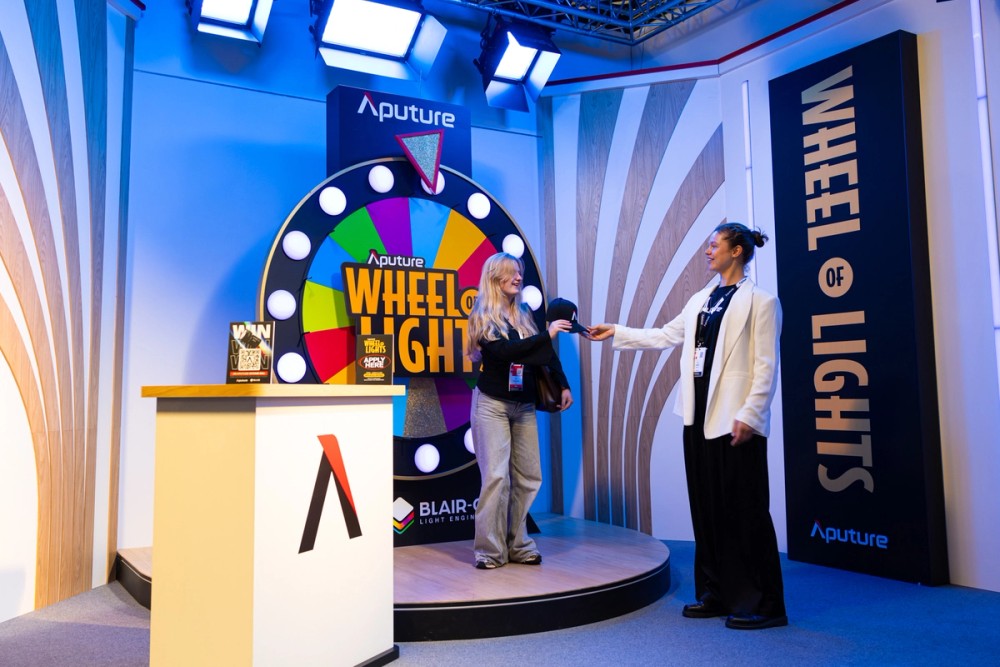
A player wins swag
The Wheel
The wheel had to spin freely and run all day, so it couldn't have any cables for power or data.
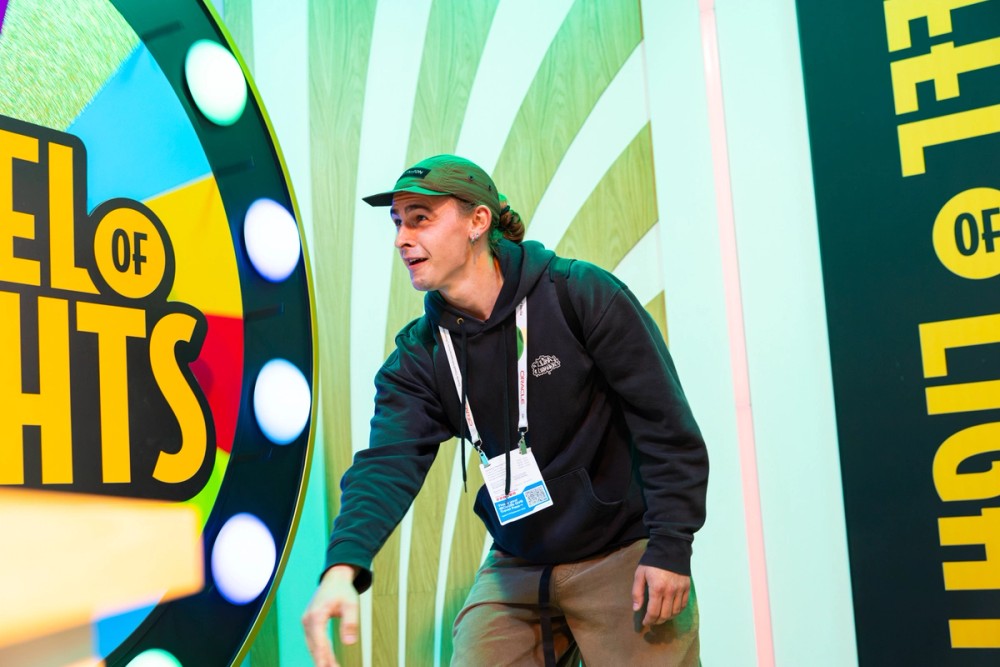
A player spins the wheel
Each panel was lit with an MC Pro and bubble diffuser so it read as a soft, even ball of color. We secured external batteries to the back of the wheel to keep every light powered through a full show day.
Because the MC Pros were controlled wirelessly with CRMX from the Sidus Four, the wheel was a completely self-contained, cable-free object. It could spin as hard as a contestant wanted, and every light still responded instantly.
The Rig
The STORM and NOVA II fixtures in the truss ran on wired DMX, the same way they would in a permanent studio install. The Sidus Four sent data out of its four-port node to the rig, while its CRMX transmitter covered the wheel. One device, one network, wired and wireless at the same time.
The Control Desk
To show the full broadcast environment, three Blackmagic Design cameras were pointed at the set. At the operator desk, Sidus Link Pro on the iMac and the Stream Deck + XL sat alongside a video switcher, the same way lighting control sits next to the switcher in a real control room. Visitors could see the set, the cameras' view, and the lighting control all at once.
The lighting control setup
The signal path:
- Sidus Link Pro on the Mac desktop to the Sidus Four
- Sidus Four to the rig over wired DMX
- Sidus Four to the wheel over wireless CRMX
- Stream Deck + XL to Sidus Link Pro for one-button triggering
Programming the Show
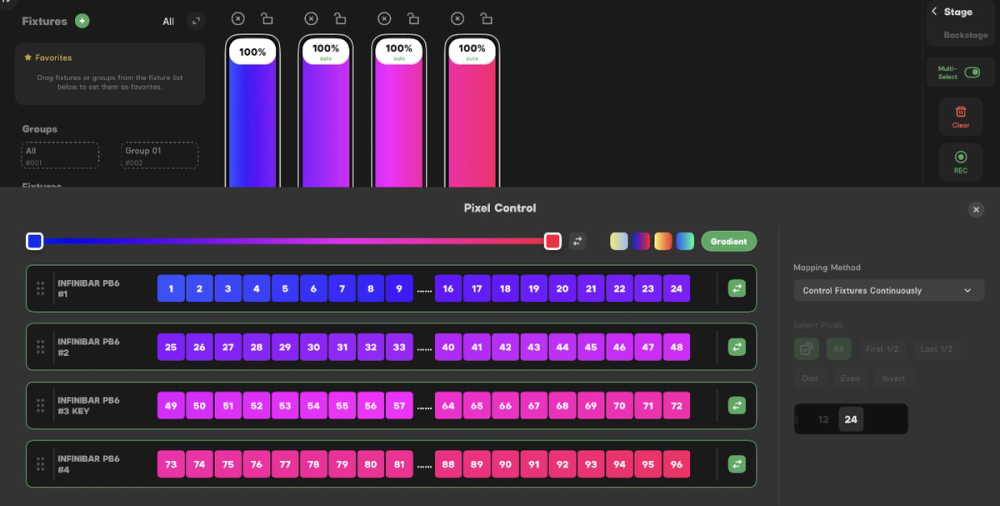
In Sidus Link Pro, we laid out the plot in Layout View to match the real rig, so the operator could select lights by location and set them to any color.
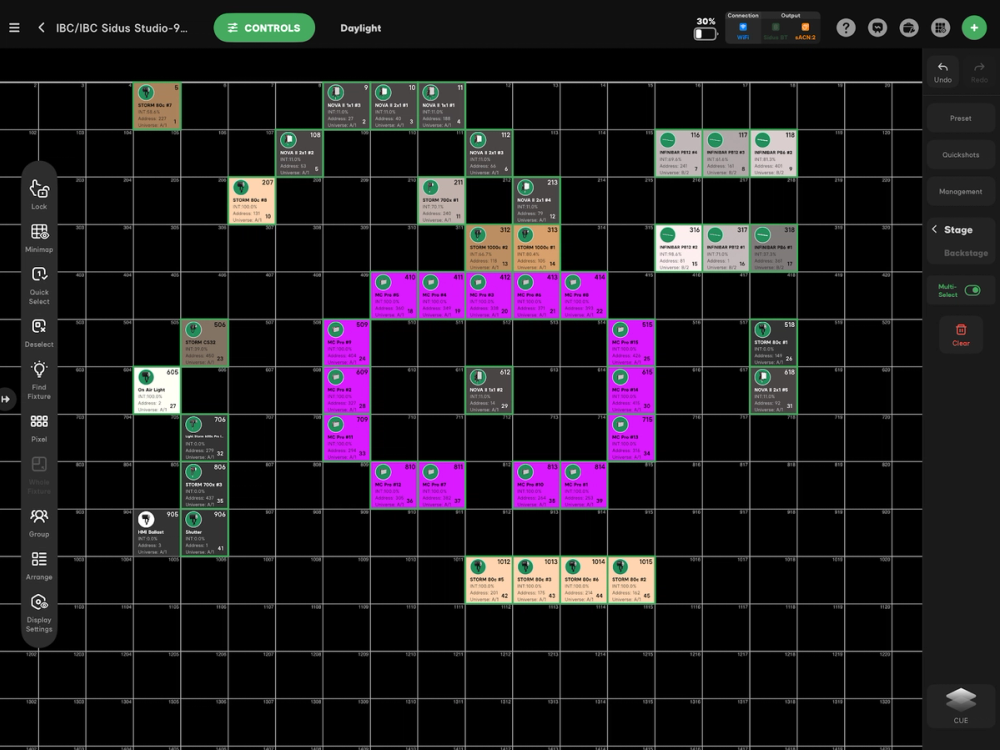
The plot in Layout View
From there, we built ten looks and placed each one on its own Cue Master, then mapped every master to its own Stream Deck button.
- Show look: when the wheel wasn't spinning, the STORM and NOVA II fixtures gave the host and contestant a well-balanced, well-lit look.
- Spinning look: to give the booth energy during wheel spins, a chase with a 0.5 second wait time cycled through the wheel's colors.
- Eight color cues: each wheel's result got its own Go Master button (Go Master 1, Go Master 2, and so on), with every master laid out as a different color.
Gold got the biggest look in the show. Each color had its own prize, but a gold result won the contestant one of each.
Laying the Stream Deck out by color made the operator's job simple. When the wheel landed on red, the operator didn't have to remember a cue number. They pressed the red button, and the whole rig went red.
The Setup
We had three rig days before the show opened. During that window, the team:
- Hung the rig and mounted the 15 MC Pros and their batteries on the wheel
- Reset Bluetooth on every light and let Auto-Patch and Auto-Config patch the rig
- Arranged the lights in Layout View
- Recorded the cues (the default look, the spinning chase, and the eight color cues) and mapped every look to the Stream Deck
Auto-Patching the Rig
Patching is usually the slowest part of a rig day. Normally someone builds a patch sheet, the crew sets each light's mode and address by hand, and someone hunts down the typos.
With Sidus Link Pro, we just reset Bluetooth on each light, and three features did the rest:
- Auto-Patch added every light to Sidus Link Pro automatically
- Auto-Config sent each light its DMX mode and address over Bluetooth
- Auto-Link connected every light to the Sidus Four
“The rigging gaffer asked me for the DMX profiles and DMX addresses of all of the lights in the rig,” says Dynice. “I told him there was no need, because all we had to do was reset Bluetooth on all the lights, and Sidus Link Pro would do the rest with Auto-Patching and Auto-Configuration. So not only did we save the rigging gaffer time, we also saved a lot of time during setup, probably a good five hours total.”
That's how Sidus Link Pro saved the day: those five hours went straight into building looks and rehearsing spins.
Running the Show
Once the rig was hung, patched, and configured, running the game was simple. Attendees walked up, stepped onto the set, and took their turn at the wheel.
A player wins an MC Pro
The cameras pointed at the set put the game in a real broadcast context, with lighting, cameras, and switching all happening in one place.
Every spin went the same way:
- Between spins, the set sat in a beautiful, well-lit game show look in white light, balanced for the host and the contestant.
- When the attendee spun the wheel, we triggered the spinning chase from the Stream Deck. Every light on the set flashed through deep, saturated colors while the wheel turned.
- When the wheel stopped and landed, we pressed that color's Go Master button, and the entire set changed to match the color on the wheel.
- The attendee won the prize for that color. If the wheel landed on gold, they won one of each prize.
- The set went back to the white game show look, ready for the next attendee.
“When the wheel wasn't spinning, we really wanted to emulate what we'd do in a production scenario,” says Dynice. “A well-balanced, well-lit look for the host and the contestant.”
Every step was a single button press on the Stream Deck, so the operator could watch the wheel instead of a screen. That's the same reason a broadcast Technical Director uses a hardware switcher: when timing matters, your eyes belong on the action. Sidus Link Pro handled everything behind each button, so the whole set changed in an instant, every time.
The Sidus Link Pro Features Behind the Build
The Wheel of Lights was a game show, but the setup behind it applies to any broadcast studio. These are the Sidus Link Pro features that made it work:
- Auto-Patch, Auto-Config, and Auto-Link: a Bluetooth reset on each light, and Sidus Link Pro added it to the show, sent it its mode and address, and linked it to the Sidus Four. No patch sheet, no fixture menus, and about five hours saved on setup.
- Fixture control from the app: with every light in HSIC+ 16-bit + Control mode, we changed dimming mode and other features from Sidus Link Pro, and it pushed the change to the lights automatically.
- Wired DMX and wireless CRMX from one app: through a single Sidus Four, Sidus Link Pro ran a wired truss rig and a fully wireless, spinning set piece at the same time.
- Layout View: the plot on screen matched the real rig, so the operator selected lights by where they hung, not by channel number.
- Cue Masters and Go Master buttons: ten looks, each on its own master, ready to fire instantly.
- Stream Deck control: every Cue Master on its own physical button, so the operator kept their eyes on the wheel.
- Mac Desktop: the full Sidus Link Pro app on an iMac, sitting at the operator desk next to the video switcher like any other piece of control room gear.
“Sidus Link Pro is fast and efficient,” says Dynice. “It lets you control your lights simply and easily, without the huge learning curve of traditional lighting consoles.”
No console, no address sheet, and no programming background required. To build a broadcast environment like this in your own studio, download Sidus Link Pro for iPad or Mac.